Kubernetes - The Network
Before the Kubernetes story can truly begin, it need a strong network to be built upon.

This is a repost as I failed the transition from Docker to Kubernetes for Ghost.
The first step in my grand Kubernetes plan, is building a solid (well, a least not too flaky) network.
My plan is as follow :
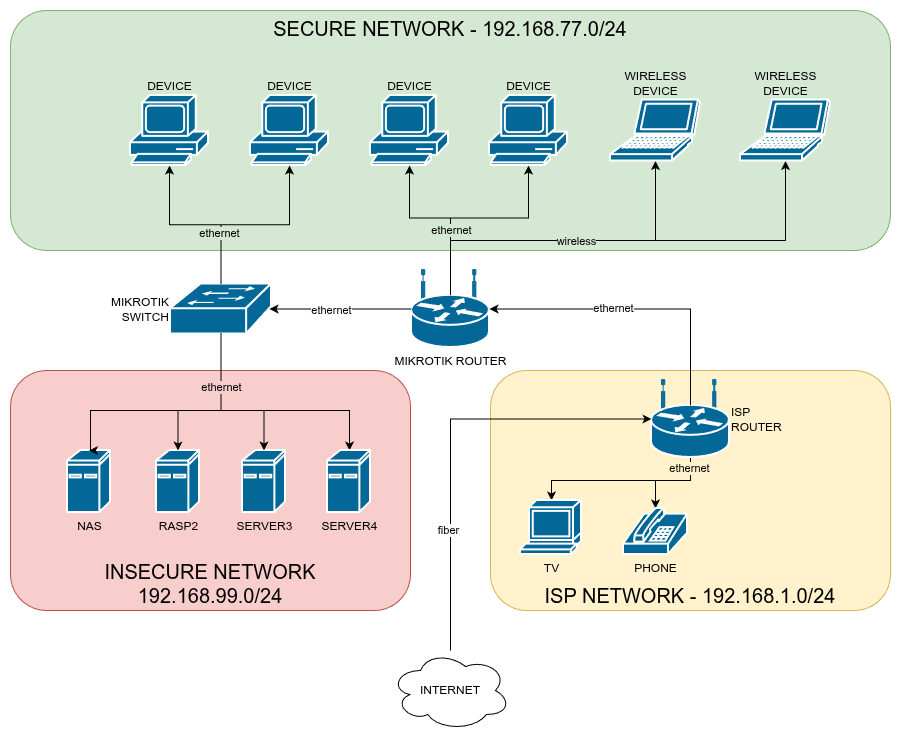
As you can see, there are three networks.
- ISP Network · This one I can't get rid of. For my TV and landline phone to work, they need to be directly connected to the ISP router. They are the only ones on this network. The Mikrotik Router is added on the DMZ of the ISP Router so that it manages every request to the network.
- Secure Network · This is the "main" VLAN managed by the Mikrotik Router. This is were all the devices of my home are connected, this is also the VLAN of my wifi network.
- Insecure Network · Ok, so, this is the VLAN that's "open" to the internet. I still sure hope it isn't actually insecure, but in the tragic event of one my machine being compromised, I can be sure it won't get to the rest of my home.
The Setup
I will, very quickly, go over my setup in Winbox (the software used to access RouterOS, the management UI of my router).
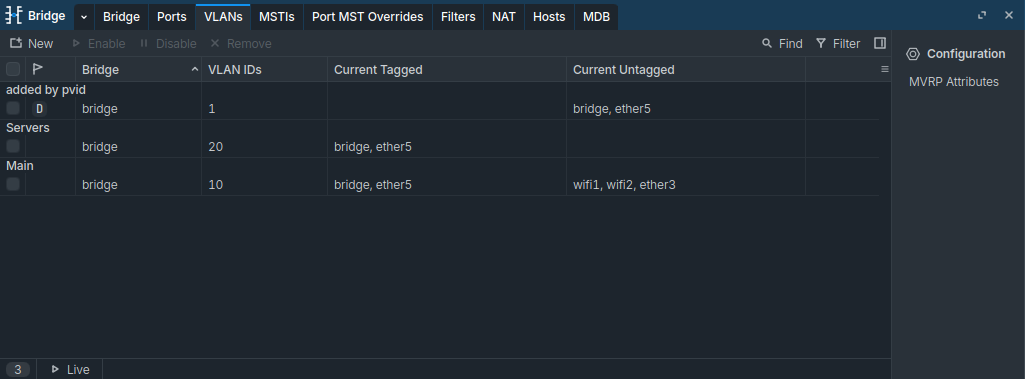
I first created VLANs on the "Bridge" tab.
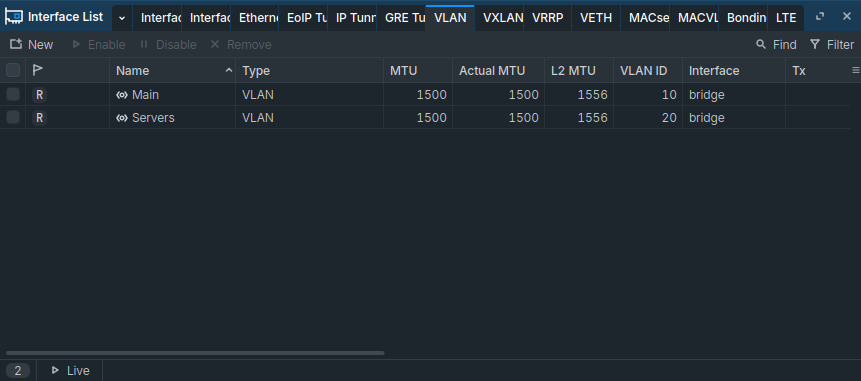
Then, I created the software interfaces for the VLANs, for easier management.
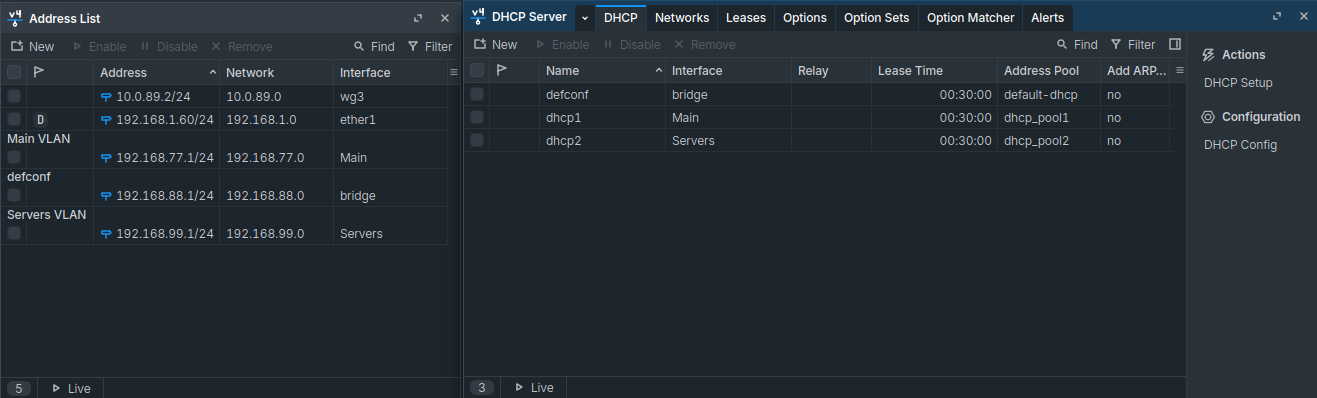
I then created addresses for the router in the different VLANs, as well as configured DHCP servers for the two networks.
I then activated "VLAN Filtering" on the bridge, and then made sure every port is mapped to the right VLAN (ether5 is connected to the switch, which has its own configuration).
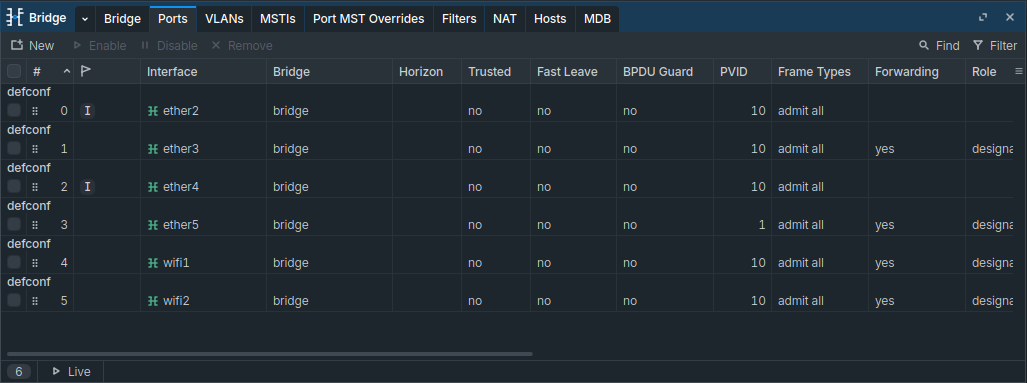
As you can see, every device connected directly to the router is on the Main, Secure VLAN.
Finally, I made a firewall rule to disallow any traffic from the insecure to the secure network.
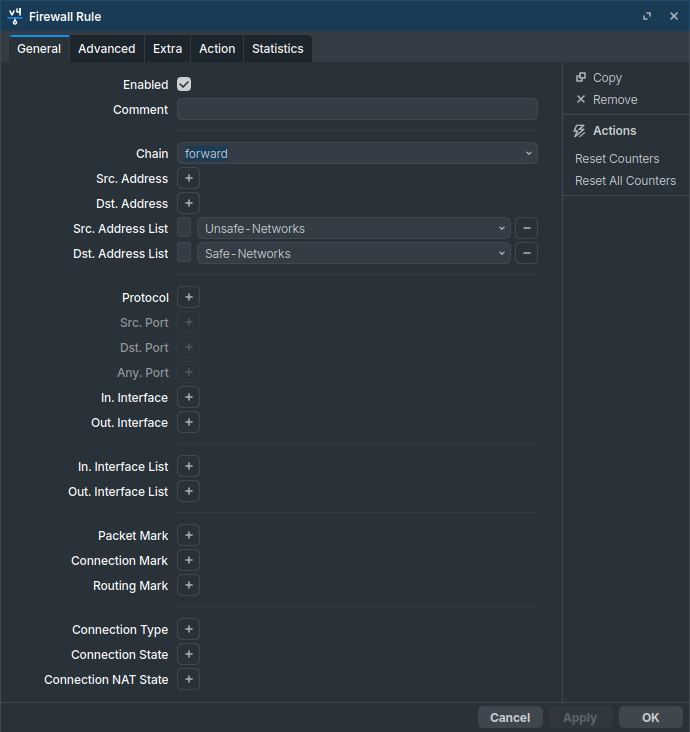
Note that the other way is accepted : I can ssh into my machines, but can't access any device of the insecure network from them.
And with that (and a switch config I won't show here by pure laziness), my VLANs are done ! And my network feels a little more secure (but just a little).
Going Further
So, how could I make it better ? Well, in a lot of ways probably. After everything is configured, I will probably try to search for even more security related projects and measures to take. In the mean time, this will be enough.
You may remember a VPN from the last post - that's still in the plans, but I encountered difficulties trying to do it. I believe I need a bit more knowledge in networking to fully understand Wireguard and then set it up, so I haven't given up, but I made it less of a priority.